Build a recipe
A recipe in ShiftPlate is a dish broken down to its ingredients, so it knows what each plate costs you. Here's how to build one.
Create the recipe
From Costing, open View All Recipes (or Recipes in the nav), then click Add Recipe. Fill in the dialog:
- Name — the dish, e.g. "Caesar Salad".
- Category — Starter, Main, Dessert, Drink, Side, or Other. This groups the dish on your menu and keeps drinks out of your food-cost figures.
- Servings — how many plates this recipe yields. Cost per serving is the total divided by this, so a batch recipe for 10 should say 10.
- Selling Price (€) — what you charge. You can set it now or later.
- Target Margin % — the margin you're aiming for (e.g. 70). Optional, but it's what turns "below target" alerts on.
- Notes (optional) — prep notes, allergens, anything useful.
Press Add Recipe to save.
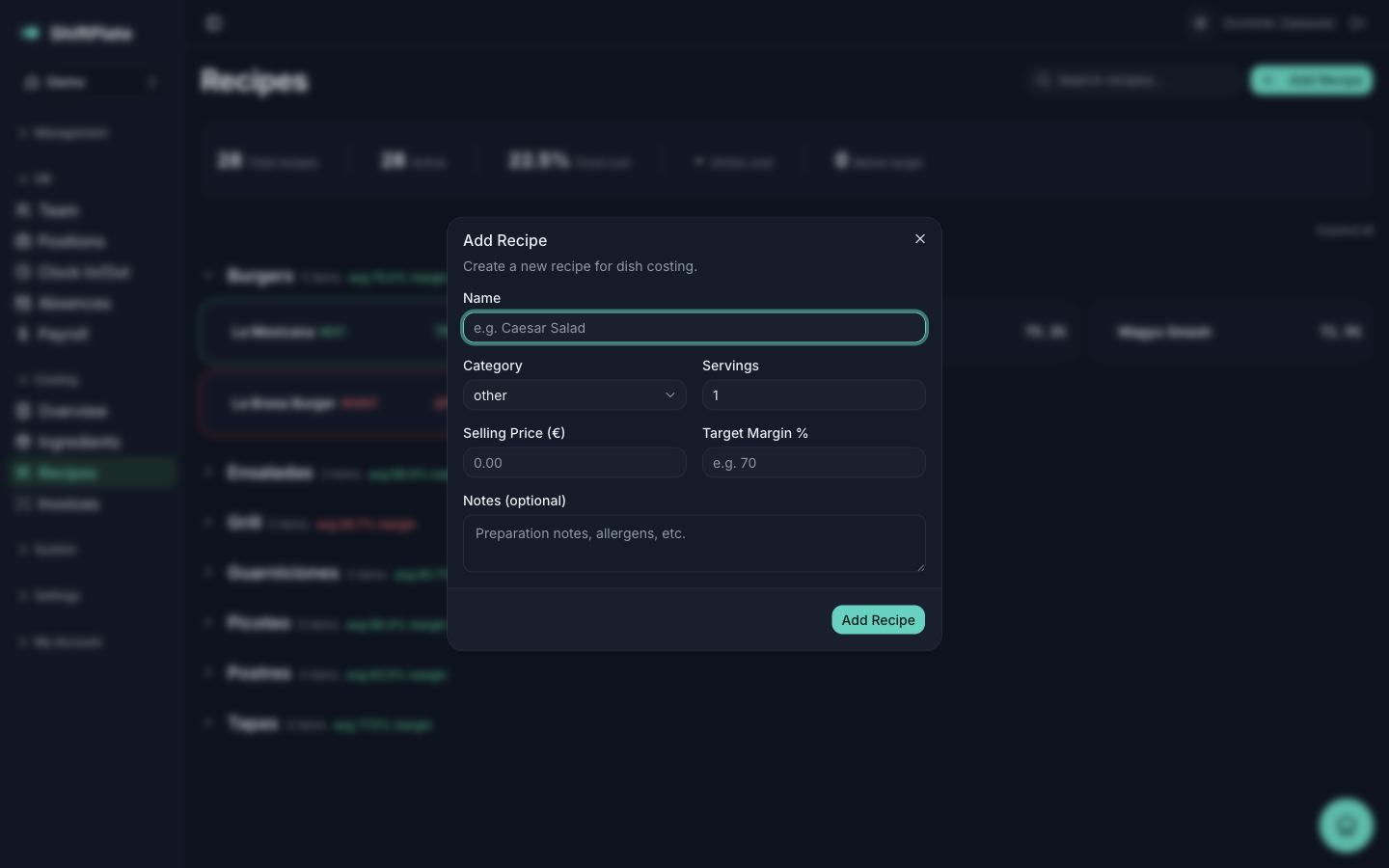
A brand-new recipe has no ingredients yet, so its cost is €0 and it has no margin. It comes to life as you add ingredients in the next step.
Add the ingredients
Open the recipe. On the left is the Ingredients card — click Add Ingredient for each one:
- Pick the Ingredient from the list. Each option shows its cost per recipe unit, like "Olive Oil (€0.0045/ml)".
- Enter the Quantity you use in one batch of the recipe.
- The Unit fills in automatically from the ingredient — you don't set it here.
A live Line cost preview shows what that ingredient adds. Press Add, and repeat for every ingredient in the dish.
Each ingredient becomes a row in the recipe's table, showing its quantity, unit, line cost, and where its price came from. To tweak an amount later, use the pencil to edit the Quantity; the trash icon removes the ingredient from the recipe.
Can't find an ingredient in the list? It hasn't been added to your ingredient database yet. Keep ingredient costs accurate covers adding one — or it may get created for you when you confirm a supplier invoice.
Set the price and target
On the right is the Cost Summary card. Here you can set or adjust the Selling Price (€) and Target Margin %, then press Save Changes. ShiftPlate recalculates the margin straight away.
That's a complete recipe: ingredients in, price set, margin known.
What's next
Now that the numbers are there, Read your margins explains what they mean and how to spot a dish that isn't pulling its weight.