Payroll
Payroll in the sidebar (titled Payroll Summary) pulls your salaries, worked hours, and sales together into one monthly picture of what your team costs. It's owner-only, and it's a summary you read, not a payment you run — ShiftPlate doesn't cut payslips or move money.
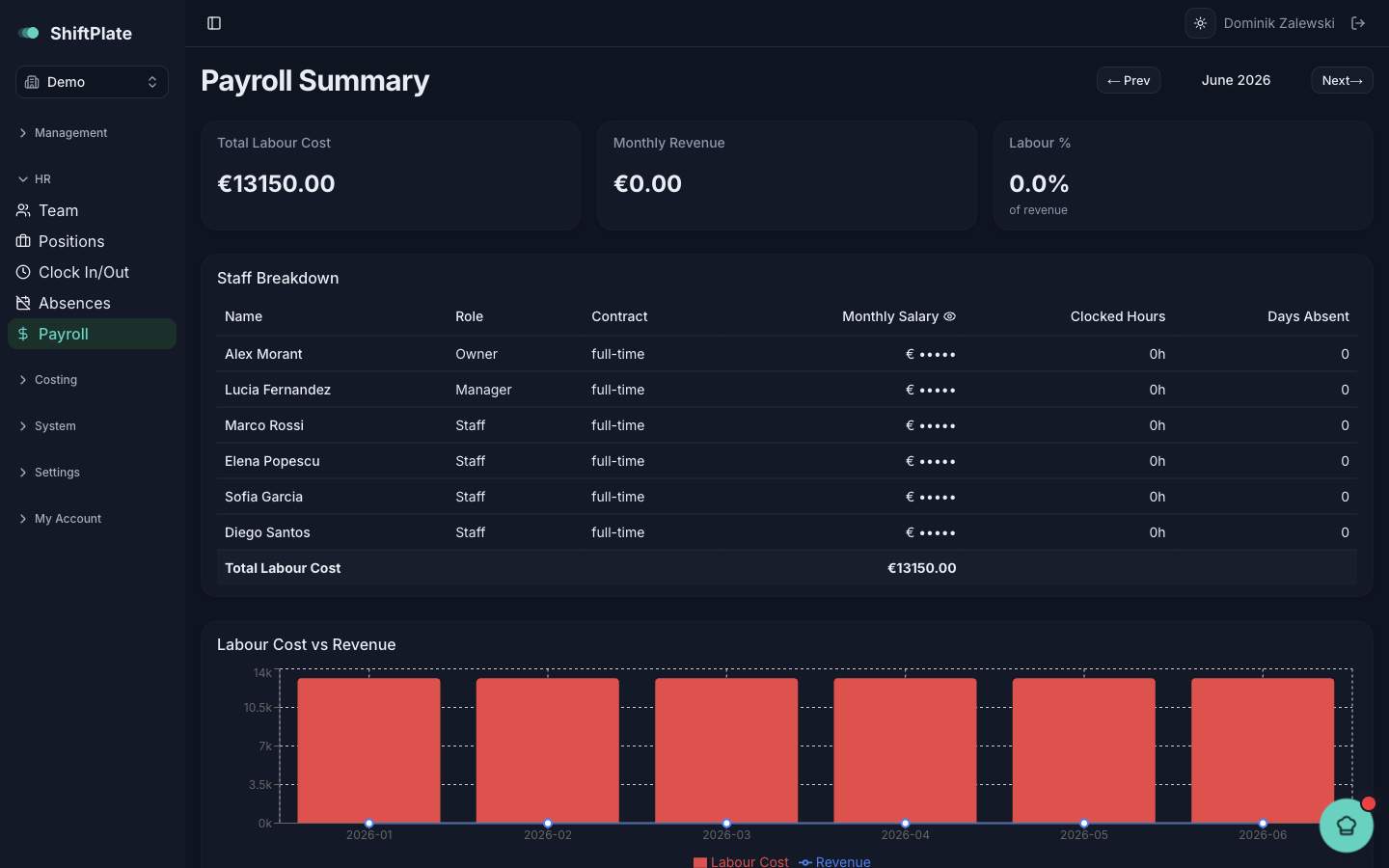
Pick a month
The page opens on last month — the most recent completed one. Use Prev and Next to move between months.
The headline numbers
Three cards sum up the month:
- Total Labour Cost — everyone's salary for the month, prorated for anyone who started partway through.
- Monthly Revenue — your sales for the month.
- Labour % — labour cost as a share of revenue. This is the number to watch; it's the same target the rota plans against.
The per-person breakdown
The Staff Breakdown table lists each person with their role, contract, Monthly Salary, Clocked Hours, and Days Absent, totalling to the month's labour cost. Salaries are hidden by default — click the Monthly Salary header to reveal them.
The figures come from the rest of ShiftPlate automatically: salaries from each staff record, clocked hours from the POS, and days absent from approved holidays. Keeping those up to date is what keeps payroll accurate.
The trend
Below the table, the Labour Cost vs Revenue chart plots the last six months, so you can see whether your labour share is drifting up or holding steady against sales.
Payroll is read-only by design — it reflects what's already in your staff records, clock, and sales. To change a number here, change it at the source: the salary on a staff profile, a clock entry, or an approved absence.
Where this leaves you
That's the full people workflow: build the rota, track time off and hours, and read the cost here. Together they turn the daily running of your team into numbers you can actually manage.