AI reports
Where the dashboard is the live view, Reports is the considered one: pick a period and ShiftPlate builds a full breakdown of how the business did, then — if you want — has Pepper read it and suggest what to do about it.
Find it under Reports in the sidebar.
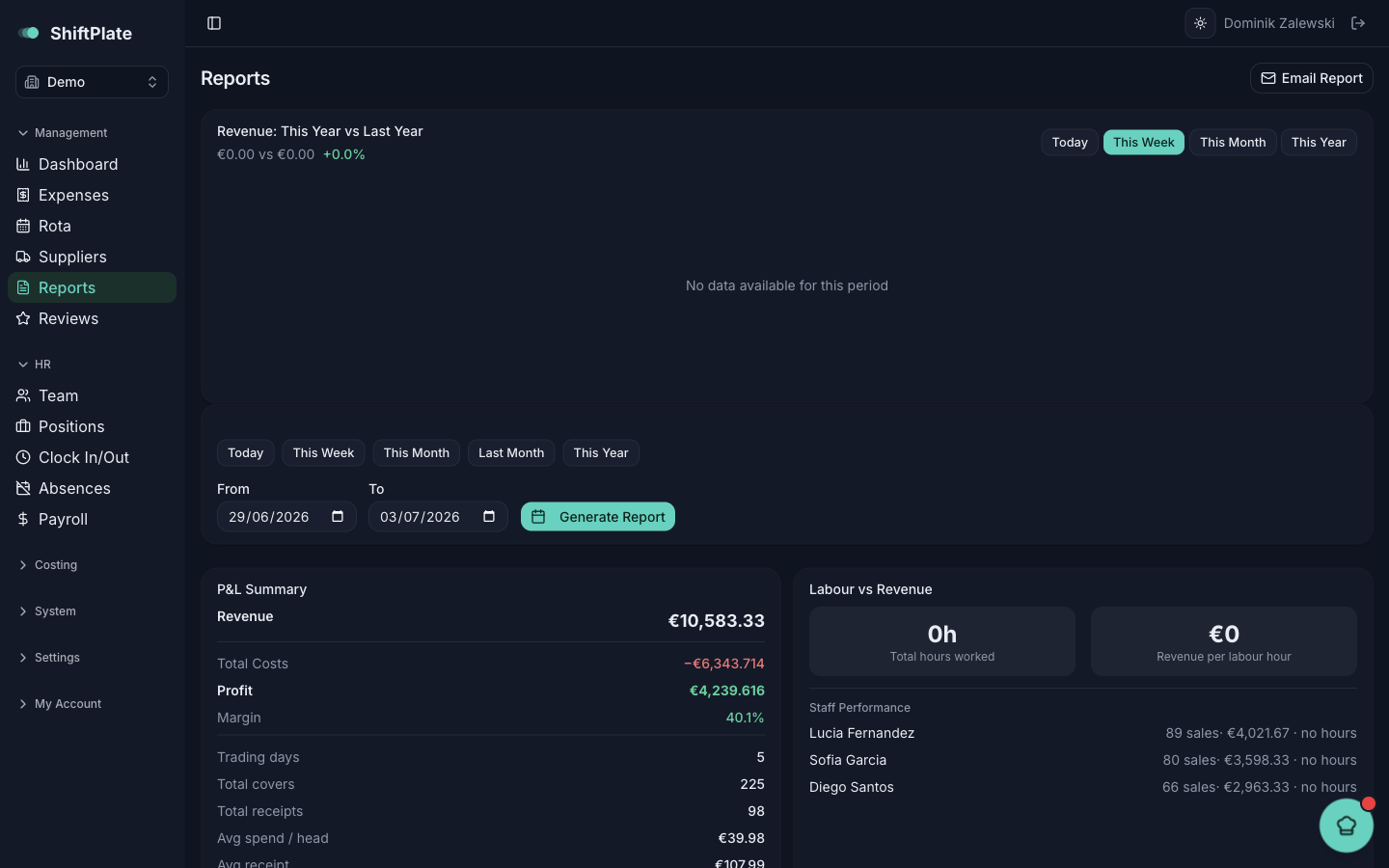
Generate a report
At the top, choose your period — a quick button (Today, This Week, This Month, Last Month, This Year) fetches immediately, or set From and To dates and press Generate Report. A short status line confirms whether the data was loaded from the database or freshly fetched from Agora.
What's in the report
Once it loads, you get three breakdowns:
- P&L Summary — revenue, total costs, profit and margin, covers, receipts, average spend, and cash-versus-card, with a day-by-day breakdown.
- Labour vs Revenue — hours worked, revenue per labour hour, and how each staff member performed.
- Menu Engineering — every dish sorted into Stars (popular and profitable — keep and promote), Plowhouses (popular but low-margin — consider a price rise), Puzzles (profitable but overlooked — make them more visible), and Dogs (neither — consider dropping).
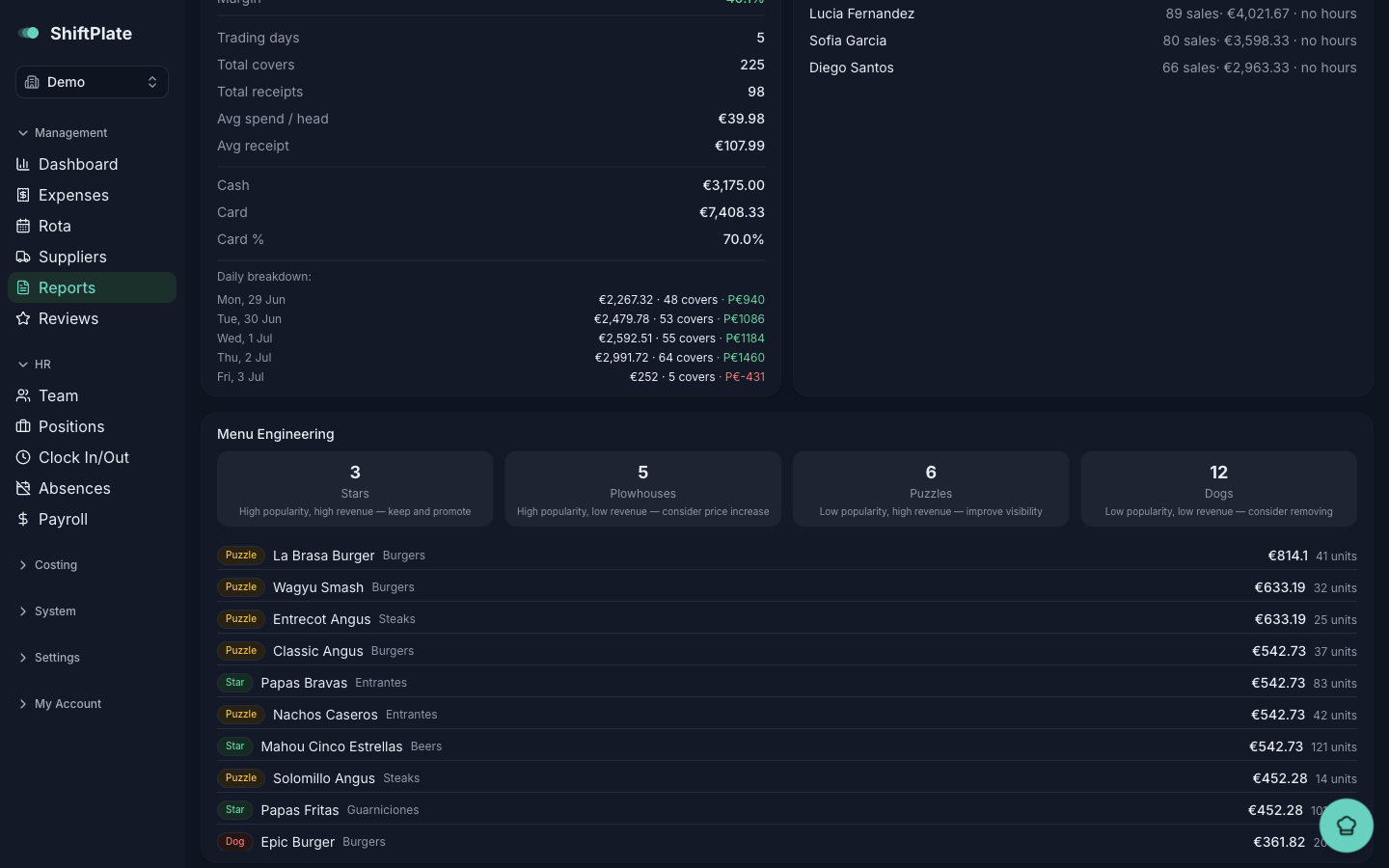
Menu engineering is one of the most useful views for a menu rethink: it tells you at a glance which dishes to push, reprice, or retire — grounded in what actually sold, not a hunch.
Compare to last year
The Revenue: This Year vs Last Year card puts this period next to the same one a year ago, with the percentage change, so you can see whether you're genuinely up or just busy.
Ask Pepper for recommendations
At the bottom, the AI Recommendations card turns the numbers into advice. Press Generate and Pepper reads your sales — top and bottom sellers, day-parts, staff, discounts, year-on-year — and writes a handful of specific, actionable suggestions. Refresh re-runs it.
Recommendations come from your real data, not generic tips — but they're suggestions to weigh, not orders to follow. You know your restaurant; treat them as a well-informed second opinion.
Email a report
The Email Report button (top right) sends a summary to your restaurant's notification address: Send Daily Report (yesterday) or Send Monthly Report (last full month). It goes to the email set under Settings → Notifications.
What's next
Sales tell you how the business is doing; your customers tell you how it feels. Next: Tracking your reviews. And Ask Pepper anything covers the assistant that ties all of this together.