Ask Pepper anything
Pepper is the AI assistant that lives in the corner of every screen. Ask it a question in plain English and it answers from your live data — sales, margins, supplier costs, the rota, reviews. It's read-only: Pepper reads your data and answers, but never changes anything.
Look for the round chef's-hat button in the bottom-right corner. It's there on every dashboard page.
Ask a question
Click the button to open the chat. There's a box that says Ask Pepper… — type a question and press Enter, and the answer streams back. If you're not sure where to start, tap one of the suggested questions:
- "How were sales this week?"
- "What are my top 5 sellers?"
- "Which dishes have the lowest margin?"
- "Who's working today?"
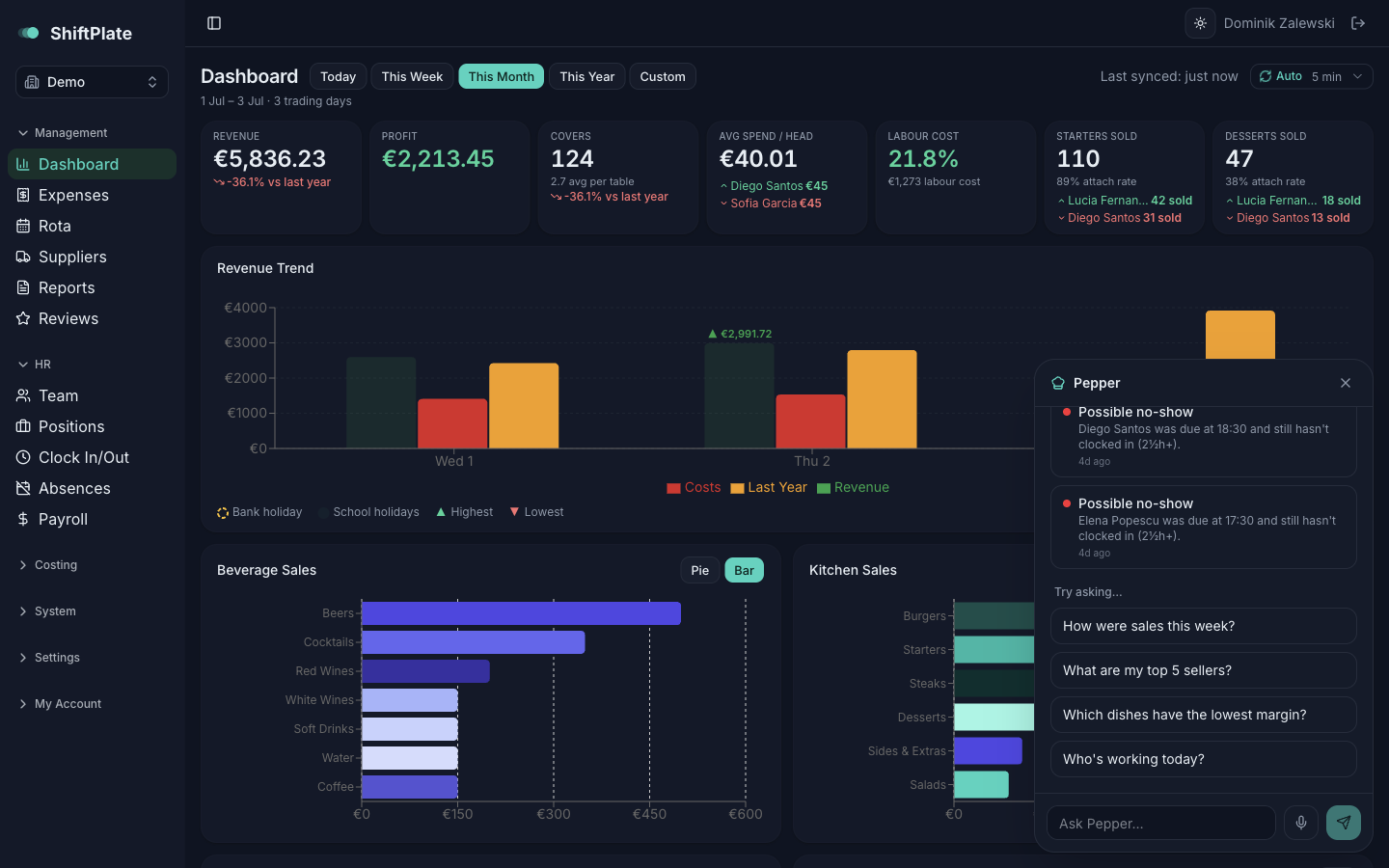
Pepper always pulls the real numbers before answering — it won't guess or make figures up. If it can't find the data, it says so rather than inventing an answer.
Talk instead of type
Prefer to speak? Tap the microphone in the message box and just talk — Speak to Pepper dictates your question straight into the box. Handy when your hands are full behind the pass.
Your morning brief
Once a day, Pepper puts together a short brief. When there's a new one, a red dot appears on the chef's-hat button — open Pepper and it's waiting as the first message. The brief covers:
- Sales pulse — yesterday's revenue and covers versus the same day last week.
- Waiting on you — things that need a decision: invoices to review, holiday requests to approve, low reviews left unanswered.
- Today's roster — how many are in, and the Front- and Back-of-House split.
You can turn the daily brief on or off under Settings → Notifications. It's on by default.
What Pepper's been up to — the "Lately" feed
When you open Pepper, a Lately section lists things it's noticed or done for you recently — a standout sales day, a till that didn't sync, or a shift it closed because someone forgot to clock out. Each one links straight to the relevant page so you can act on it.
Pepper respects who you are
Pepper only answers about the parts of ShiftPlate you're allowed to see. If your role can't access costing, Pepper won't discuss margins with you; if it can't see HR, it won't talk rotas. Everyone can ask about sales; the rest follows your permissions.
What's next
That's the assistant that ties the whole platform together. If you haven't yet, the Reviews section covers keeping an eye on what customers are saying.