Tracking your reviews
The Reviews page pulls your Google and TripAdvisor ratings into one place, so you can see how you're doing without checking each site. It's a tracking view — you watch your reputation over time here, and reply to reviews on the platforms themselves.
Find it under Reviews in the sidebar.
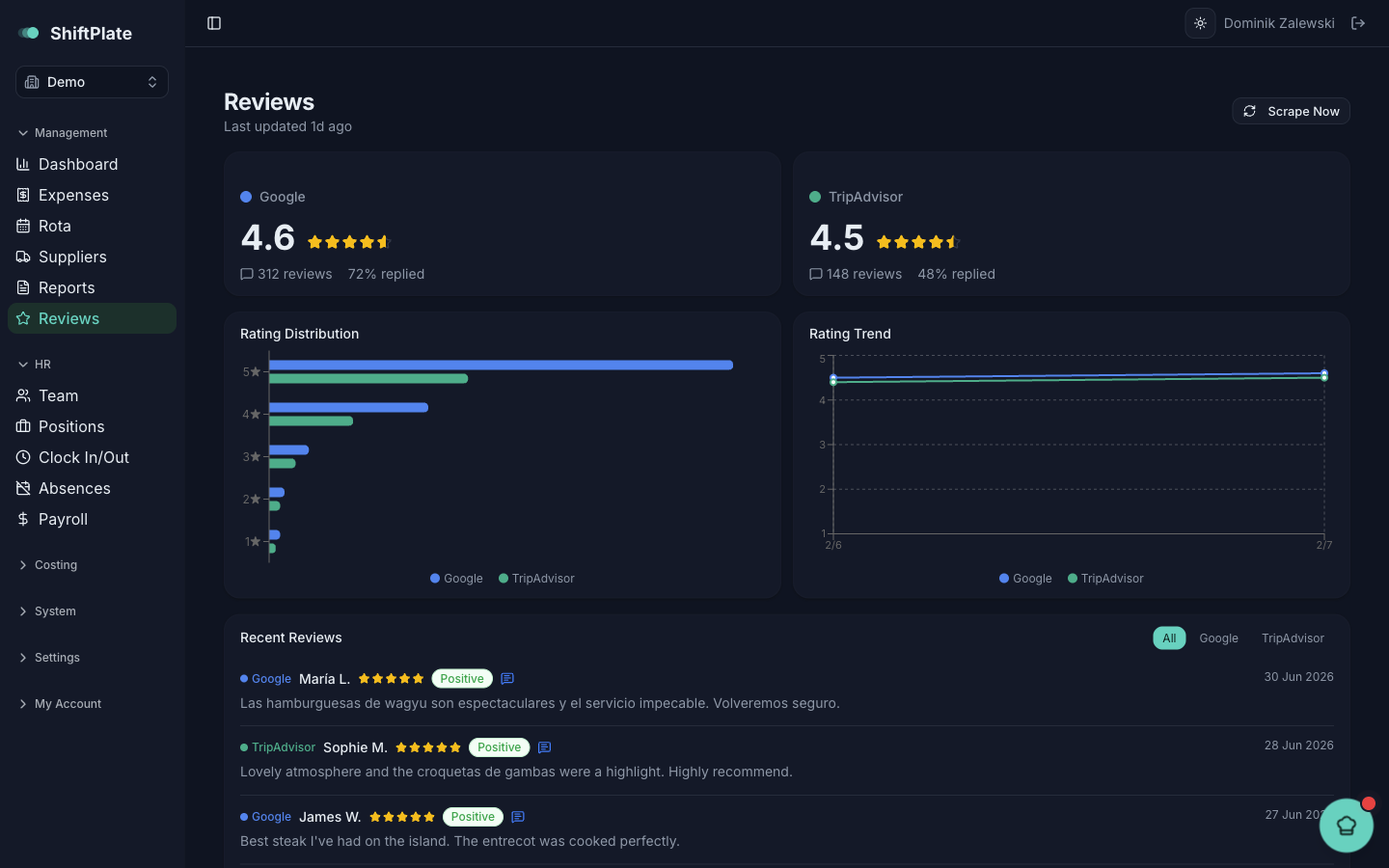
The rating cards
At the top, a card for each platform — Google and TripAdvisor — shows your current star rating, the number of reviews, and the share you've replied to. A platform you haven't connected shows Not configured.
The trends
Two charts sit below:
- Rating Distribution — how your reviews break down across one to five stars.
- Rating Trend — your Google and TripAdvisor ratings plotted over time, so you can see whether you're climbing or slipping.
The trend chart fills in as ShiftPlate takes snapshots over time — the more regularly reviews are refreshed, the richer the picture of where your rating is heading.
Recent reviews
The Recent Reviews list shows the latest reviews across both platforms, filterable to All, Google, or TripAdvisor. Each one shows the author, star rating, date, and a sentiment badge — Positive, Neutral, or Negative — plus a marker when you've already replied on the platform. Long reviews collapse with a Read more link.
Refreshing
Click Scrape Now (top right) to pull the latest reviews and ratings. There's a short cooldown between refreshes, so if you've just run one, give it a few minutes before trying again.
Reviews are read-only here — ShiftPlate tracks them but you reply on Google or TripAdvisor directly. Pepper's brief will flag a low review that's still unanswered, so nothing slips through unnoticed.
Where this fits
Reviews close the loop on the insights side of ShiftPlate: your sales tell you what sold, your reports tell you why, and your reviews tell you how it landed with the people you served.